
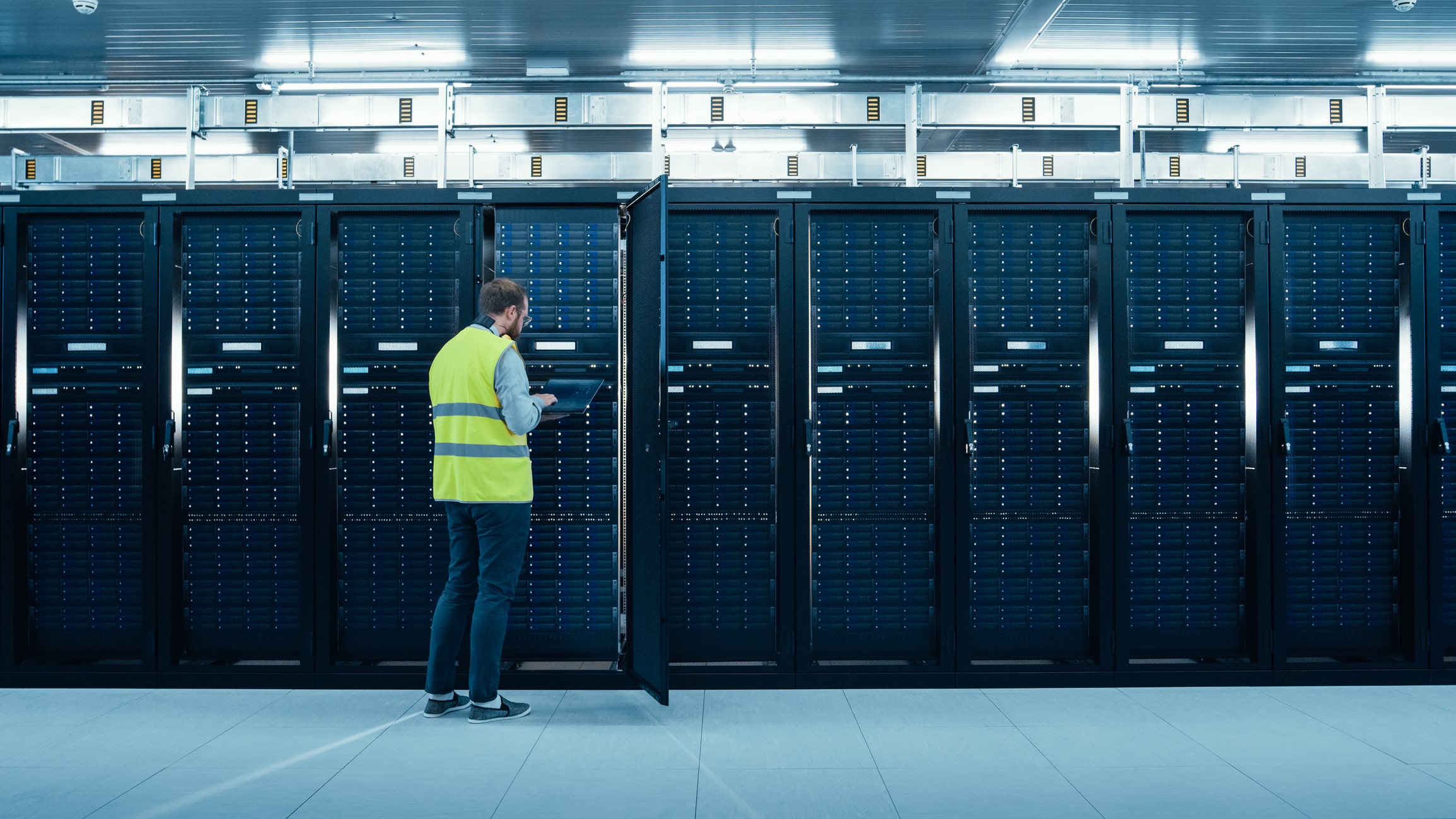
If your business still relies on physical servers or specialized hardware, you can move that equipment out of your office without giving up ownership or control.
vmXcloud®’s Colocation Services houses customer-owned equipment in geographically dispersed third-party facilities, each certified to SOC 2 Type 2, with the power, cooling, connectivity, physical security, and capacity your hardware requires.
In our New Jersey facility, customer equipment sits inside a vmXcloud data module, our own enclosure and racks, with everything inside managed by vmXcloud. AutoPayPlus, a financial services company, has been a vmXcloud colocation client for more than 10 years.
Cybersecurity, 24/7 monitoring, and expert support are standard on vmXcloud deployments, not add-on line items. Services covering your own equipment are scoped to that hardware and set out in your agreement.
For regulated and data-sensitive organizations, vmXcloud services support compliance with HIPAA, PCI DSS, and SOC 2. Your organization remains responsible for its policies, applications, user access, documentation, and procedures.
Data center colocation lets your business keep its own servers and networking equipment while housing them in a professionally operated facility instead of maintaining that physical environment yourself.
You retain ownership of the hardware. The facility provides the space, power, cooling, environmental controls, and physical security your equipment requires. vmXcloud provides colocation services, monitoring, and expert support for the deployment, with additional services for customer-owned equipment scoped in your agreement.
The key difference between colocation and cloud infrastructure is hardware ownership. With colocation, you own the physical servers. With cloud infrastructure, the provider owns the underlying compute, storage, and networking hardware and delivers those resources as a service.
You do not need to determine every technical requirement before you start. A vmXcloud engineer can review your equipment and operating needs to help define the capacity and support your environment requires.
Request a QuoteManaged colocation adds technical support and services around your colocated infrastructure, reducing the operational work your team has to handle internally.

Running servers on-site means maintaining the space, power, cooling, connectivity, physical security, and capacity around them.
Colocation moves those facility requirements out of your office, reducing the infrastructure your team has to maintain internally and giving you room to support changing requirements.

As your hardware needs grow, an office server room can run short on rack space, power, cooling, or connectivity.
Data center colocation lets you plan for additional capacity in a professionally operated facility instead of expanding the physical infrastructure in your office.
Planning for expected growth upfront helps align rack space, power, and connectivity with your changing requirements.
Your equipment sits in a professionally operated facility with controlled access, environmental monitoring, resilient power, fire protection, and reliable connectivity.
The facility protects the physical environment; the provider adds cybersecurity and operational support around your systems. Cybersecurity is standard on vmXcloud deployments, not an add-on line item, with the specific controls defined by the service and contract.
Hardware work in our New Jersey module is handled by vmXcloud’s own engineers.

Yes. Colocation can support a broader disaster recovery strategy by housing recovery infrastructure in a professionally operated facility.
A complete plan may also require backup and replication services, geographically separated recovery resources, testing, and defined recovery objectives based on how quickly your systems need to return to service and how much data loss your business can tolerate.
Colocation provides the physical environment; your disaster recovery strategy defines how your systems and data are restored when disruption occurs.

A successful server colocation migration starts with a clear inventory of your hardware, applications, dependencies, power, and connectivity requirements.
Before the move, confirm backups, establish the migration window and rollback plan, and define how each system will be tested after installation. Then move, connect, and validate the equipment before returning it to production.
vmXcloud can scope migration services as part of the engagement. After deployment, vmXcloud provides 24/7 expert support and monitoring for the services included in your environment.
Choose a colocation provider that clearly defines responsibility for your hardware, the facility environment, connectivity, access, monitoring, support, and service commitments.
Review the service-level agreement for terms that may cover availability, maintenance notifications, support response times, access procedures, and remedies. Exact commitments depend on the provider and contract.
With vmXcloud Colocation Services, you retain ownership of your equipment, the third-party facility provides the physical environment, and vmXcloud delivers the colocation and support services defined in your agreement.
Running servers on-site means maintaining the space, power, cooling, connectivity, physical security, and capacity around them.
Colocation moves those facility requirements out of your office, reducing the infrastructure your team has to maintain internally and giving you room to support changing requirements.
As your hardware needs grow, an office server room can run short on rack space, power, cooling, or connectivity.
Data center colocation lets you plan for additional capacity in a professionally operated facility instead of expanding the physical infrastructure in your office.
Planning for expected growth upfront helps align rack space, power, and connectivity with your changing requirements.
Your equipment sits in a professionally operated facility with controlled access, environmental monitoring, resilient power, fire protection, and reliable connectivity.
The facility protects the physical environment; the provider adds cybersecurity and operational support around your systems. Cybersecurity is standard on vmXcloud deployments, not an add-on line item, with the specific controls defined by the service and contract.
Hardware work in our New Jersey module is handled by vmXcloud’s own engineers.
Yes. Colocation can support a broader disaster recovery strategy by housing recovery infrastructure in a professionally operated facility.
A complete plan may also require backup and replication services, geographically separated recovery resources, testing, and defined recovery objectives based on how quickly your systems need to return to service and how much data loss your business can tolerate.
Colocation provides the physical environment; your disaster recovery strategy defines how your systems and data are restored when disruption occurs.
A successful server colocation migration starts with a clear inventory of your hardware, applications, dependencies, power, and connectivity requirements.
Before the move, confirm backups, establish the migration window and rollback plan, and define how each system will be tested after installation. Then move, connect, and validate the equipment before returning it to production.
vmXcloud can scope migration services as part of the engagement. After deployment, vmXcloud provides 24/7 expert support and monitoring for the services included in your environment.
Choose a colocation provider that clearly defines responsibility for your hardware, the facility environment, connectivity, access, monitoring, support, and service commitments.
Review the service-level agreement for terms that may cover availability, maintenance notifications, support response times, access procedures, and remedies. Exact commitments depend on the provider and contract.
With vmXcloud Colocation Services, you retain ownership of your equipment, the third-party facility provides the physical environment, and vmXcloud delivers the colocation and support services defined in your agreement.

Colocation pricing depends on the resources your equipment requires, including rack or cabinet space, power, connectivity, and contracted support services.
A vmXcloud engineer reviews your hardware and operating requirements to determine the appropriate environment before pricing is finalized. Once the scope is agreed upon, vmXcloud provides fixed monthly contracted pricing for the services in your agreement.